Cards Wallet - Digital Wallet
SUNMARE DIGITAL TEKNOLOJI YAZILIM SANAYI TICARETLifestyle
4.5141.00 Reviews
- Version
- 1.43
- Installs
- 1.00M
- Age Rating
- Everyone
Screenshots
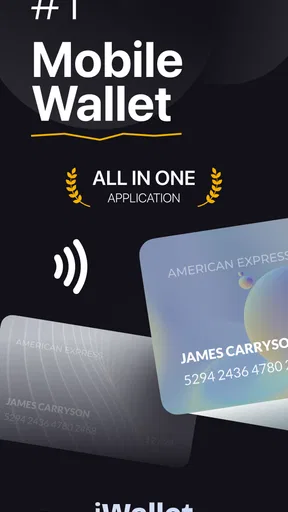
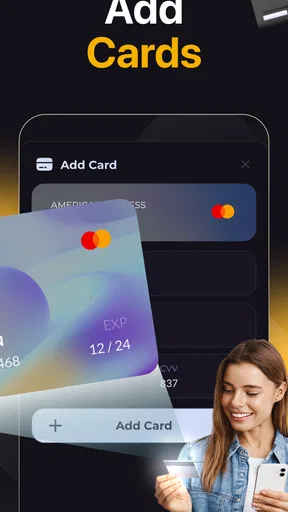
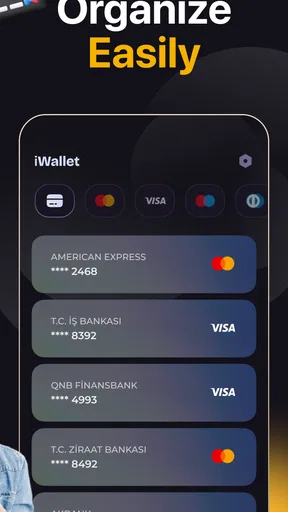
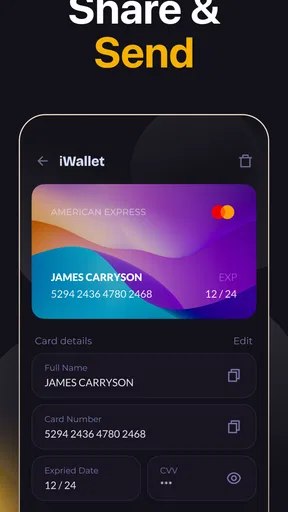
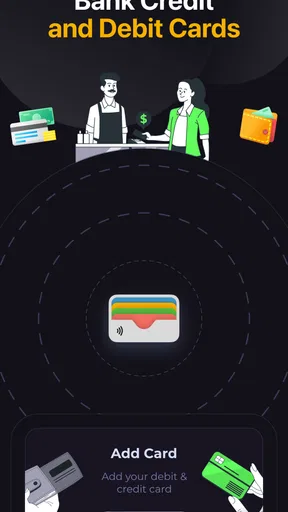
Our Review of Cards Wallet - Digital Wallet
 Analysis by Appyee
I tend to notice card clutter most when I’m trying to leave the house quickly: a membership card is in a coat pocket, a loyalty barcode is buried in an email, and someone else needs the store pass I last used. Wallet Safe Card: Card Wallet is aimed at making those everyday bits easier to keep together. I’d think of it as a digital organizer for cards and passes, rather than a replacement for every function of a bank’s payment wallet.
A shared household moment, without sharing everything
Picture a quick grocery stop where one person is driving and another is picking up the items. If the relevant loyalty card or barcode has been saved in the app, the person holding the phone can bring it up instead of asking who has the physical card. That is a modest convenience, but it can remove an annoying pause at checkout. It works best when the person using the phone is also the person who has organized the cards on it.
That distinction matters in a household. A collection of household membership cards is different from storing everyone’s personal bank cards, identity documents, or private account details together. I would start with low-risk, frequently used loyalty cards and passes, then decide whether there is a good reason to add anything more sensitive. An app that gathers cards can make retrieval easier, but putting information in one place also makes it more important to be thoughtful about who can use the device.
Decide what belongs on the phone
Before scanning a card, I’d ask a practical question: what job do I want this saved copy to do? A barcode that I often need while shopping is a clear candidate. A card that must be physically presented, or whose provider requires its official app, may not be. Keeping the original card for those cases avoids the awkward discovery that a digital image is not accepted when it matters.
I’d also avoid treating a shared phone as a shared wallet by default. If several people use one device, they may see whatever is saved there, and the app should not be assumed to create separate household profiles or private spaces. For personal cards, keeping them on each owner’s own device—or leaving them in the provider’s official app—may be the more sensible boundary. That small choice is more useful than trying to make one collection serve every person and every situation.
Make coordination part of the routine
The app is most helpful when cards are labeled and grouped in a way that makes sense to the people who actually use them. If a household saves a shared membership pass, a clear name can save time later; a vague label such as “card” invites guesswork. I’d agree on who maintains the shared entries and remove cards that are no longer useful, rather than letting the collection become a digital version of the overstuffed drawer it was meant to replace.
There is a useful trade-off here: one person can do the tidying and keep the set consistent, but that creates a small dependency on that person and their phone. If the person with the device is away, the rest of the household may still need the physical card. For anything needed by more than one person, I’d keep a backup plan—such as knowing where the original is—rather than assuming the app alone solves access for everyone.
Trust, age, and everyday judgment
The app is rated for Everyone, so its age classification is broad, but that does not mean every card is appropriate for a child to handle. A younger family member might be able to use a shared rewards barcode with supervision, while payment cards, identity details, and private account information call for more care. I would make that distinction based on the sensitivity of the card and the child’s access to the device, not just the app’s age label.
It is also worth separating convenience from proof of security. The app’s name emphasizes safety, but I would still use normal caution with sensitive information: protect the phone itself, avoid adding details that are not needed for the task, and check the app’s current settings before relying on a lock or other safeguard. For payment or identity needs where the issuing organization’s own wallet or app is the trusted route, I’d use that instead.
Who gets the most from it?
I can see this being a good fit for someone with a handful of loyalty cards, membership passes, and barcodes who regularly forgets which pocket or app contains them. It may also suit a household organizer who wants a single, clearly labeled place for low-risk shared passes on their own phone. It is less compelling for someone who carries only one or two cards, already relies on a phone wallet that handles the same passes well, or needs several people to access a common collection independently.
Compared with keeping cards in a physical wallet, the main attraction is having saved information at hand without carrying every plastic card. Compared with a phone’s built-in payment wallet, a card organizer can be a more natural place for loyalty cards and miscellaneous passes, but it should not be presumed to provide the same payment acceptance or issuer-backed functions. I’d use each tool for what it does best: an official payment wallet for supported payments, a provider’s app when its card needs that app, and this organizer for cards and barcodes that are useful to retrieve together.
For someone deciding whether to install it, the practical questions are straightforward: can the cards you care about be represented usefully, will you be the main person accessing them, and are you comfortable keeping that information on your phone? If the answer to those points is yes, the convenience may be worth trying. If you need a shared family account, guaranteed access for several people, or a substitute for physical identification and payment methods, I would choose a different solution or keep those items separate.
What Exactly is Wallet Safe Card?
First off, let’s talk about what Wallet Safe Card: Card Wallet actually does. It's basically an app that helps you store all your important cards digitally. We’re talking credit cards, debit cards, IDs, gift cards, you name it. Imagine having all your cards in one sleek, digital interface. Sounds cool, right?
Getting Started with Ease
Setting up was a breeze. I downloaded the app from the Play Store (it’s also on iOS), and within minutes, I was ready to roll. The user interface is clean and intuitive, which is a big deal for me. I don’t know about you, but I don’t have the patience to deal with confusing layouts. Navigating through the app is as straightforward as it gets.
Features That Stand Out
Alright, let’s dive into some of the features. One of the coolest things is the card scanning feature. You just use your phone’s camera to scan your cards, and the app automatically picks up the details. No more manually entering numbers! This saves a ton of time, especially if you have a stack of cards.
Another feature I found super useful is the categorization. You can organize your cards into different categories like finances, memberships, and IDs. It’s like having a digital wallet, but way more organized. Plus, you can add notes to each card, which is handy for keeping track of expiration dates or special conditions.
Security First
Now, I know what you’re thinking: is it safe? I had the same concern, but the app uses advanced encryption to protect your data. There’s also an option for biometric authentication, so you can use your fingerprint or face ID to lock and unlock the app. That’s some top-notch security right there.
Personal Experience
After using it for a week, I’ve got to say, it’s pretty convenient. I’ve been able to clear out a ton of clutter from my physical wallet. No more fumbling through cards at the checkout line. Everything is right there on my phone, neatly organized and easy to access.
The app even sends reminders for card payments and renewals, which is a nice touch. It’s like having a personal assistant for your cards. And trust me, I need all the reminders I can get!
Some Things to Keep in Mind
While I’m singing its praises, there are a couple of things to keep in mind. The app is free to download, but there are in-app purchases for premium features. Depending on what you need, you might want to consider upgrading. Also, if your phone runs out of battery, you won’t have access to your digital cards, so keep that in mind when you’re out and about.
Final Thoughts
All in all, Wallet Safe Card: Card Wallet is a game-changer for anyone looking to declutter their physical wallet and keep their cards secure and organized. Whether you’ve got a few cards or a whole deck, this app makes managing them a breeze. So, if you’re tired of the card chaos, give it a shot. I think you’ll be pleasantly surprised!
Ready to streamline your wallet? You can check out Wallet Safe Card: Card Wallet on the Play Store or App Store and see how it fits into your lifestyle. Happy organizing!
Where it fits in a real wallet routine
The strongest case for this app is not carrying every possible card on a phone; it is making the cards you reach for occasionally easier to find. I would start by adding the loyalty and membership barcodes I actually use, then try retrieving them while standing at the counter. That quick test shows whether the names, categories, and saved images are legible enough for my routine before I spend time entering less-used cards.
One practical tip is to choose a consistent naming style from the beginning. A store name followed by the card type is easier to scan than a string of notes that only makes sense to the person who added it. I would use notes for details that help identify a card or remember a condition, but not as a place to duplicate sensitive information unnecessarily. The aim is fast recognition, not building a detailed personal record of every account.
Scanning is convenient, but check the result
Automatic scanning can reduce typing, especially when sorting a stack of loyalty cards, but I would still inspect each saved entry before putting the physical card away. A misplaced digit, poorly captured barcode, or image that is hard to read defeats the point of a quick digital lookup. A sensible workflow is to scan one card, check what the app captured, and test the saved version when convenient. That takes a little longer at setup and can prevent a frustrating checkout delay later.
For cards with a barcode, I’d keep the original nearby until I have confirmed that the saved version is usable. For cards whose value depends on a chip, magnetic stripe, contactless tap, or official identity check, a stored image should not be treated as a functional replacement. This is where a card organizer and a payment wallet differ: keeping a visual record together is not the same as enabling a transaction or satisfying an organization’s rules.
Choose a small, useful collection
It is tempting to scan everything at once, but a smaller collection is easier to maintain. I would add the cards I use often, then bring in occasional passes only when they solve a real retrieval problem. If a card expires, is replaced, or no longer earns anything useful, remove or update it so old entries do not compete with the current one. This is especially helpful on a shared household phone, where several similar-looking cards can make a quick search slower instead of faster.
The app is free to download, while in-app purchases range from $19.99 to $69.99 per item. I would first see whether the free experience handles the cards I want to organize before paying for anything. The paid options may make sense for someone who has identified a specific need, but I would not assume an upgrade is necessary simply because I have a large number of cards. The useful question is whether a feature I personally need is included and worth its cost.
What to expect across devices and versions
Wallet Safe Card is a lifestyle app from SUNMARE DIGITAL TEKNOLOJI YAZILIM SANAYI TICARET. It is free to install, has an average rating of 4.8 from around 9,300 ratings, and has passed 500,000 installs. It was released on August 31, 2024, and its current version is 1.24. Those figures suggest that many people have tried it and that user feedback is very positive, though ratings alone cannot tell me whether it suits a particular household’s way of sharing devices.
On Android, it requires version 7.0 or later, and its content rating is Everyone. The app is also available on iOS, which is useful if household members do not all use the same kind of phone, but I would not assume that a saved collection automatically syncs between devices or accounts. If you need the same cards available to multiple people, check how the app handles that before relying on it; otherwise, keep the physical card or use the relevant organization’s own option as a backup.
A practical household verdict
In my view, this is best treated as a personal card organizer that can also hold a few carefully chosen shared passes—not as a family account system or a universal replacement for a wallet. Its scan-and-sort approach can make routine barcode retrieval less fiddly, and the ability to add notes gives the collection more context than a plain camera roll. Those strengths are most useful when one person manages the entries and the cards are mainly for reference or scanning.
I would skip it if my main goal were shared access across several phones, guaranteed payment support, or storing highly sensitive documents without first checking the safeguards and the issuing organization’s requirements. For a person who wants loyalty cards and passes gathered in one place, it is worth trying; for a household, I’d keep the collection limited, agree on who maintains it, and retain originals for anything that must work physically. That is the balance that makes a digital card collection helpful rather than another thing everyone has to troubleshoot.
Verdict
Strengths of Cards Wallet - Digital Wallet
- Secure encryption protects your data.
- Easy to navigate user interface.
- Offline access to saved cards.
- Supports multiple card types.
- Quick setup and import options.
Limitations of Cards Wallet - Digital Wallet
- Limited free version features.
- No integration with payment apps.
- Lacks two-factor authentication.
- Occasional sync issues reported.
- Limited customizability options.
Other Releases by SUNMARE DIGITAL TEKNOLOJI YAZILIM SANAYI TICARET
View All
Wallet - Digital Wallet Card
Productivity4.4
Similar Picks in This Category
View All
SmartThings
Samsung Electronics Co., Ltd.4.6

Google Home
Google LLC4.0

Pinterest4.2

Astrotalk - Talk to Astrologer
Astrology & Horoscope4.7

My Verizon
Verizon Consumer Group4.5

Samsung Wallet (Samsung Pay)
Samsung Electronics Co., Ltd.4.1
Frequently Asked Questions
What is Wallet Safe Card: Card Wallet and how does it work?
Wallet Safe Card: Card Wallet is a secure digital wallet app designed to help users store and manage their credit, debit, and loyalty cards. It works by allowing you to scan and upload your cards into the app, ensuring that all your card information is encrypted and safely stored in one place, making payments and card management more convenient.
Is Wallet Safe Card: Card Wallet secure to use?
Yes, Wallet Safe Card: Card Wallet prioritizes user security by employing advanced encryption technology to protect your card information. The app also features biometric authentication options, such as fingerprint or facial recognition, to ensure that only you can access your stored cards, providing an extra layer of security.
Can I use Wallet Safe Card: Card Wallet offline?
While you can access your stored card information offline, certain features of Wallet Safe Card: Card Wallet, such as syncing new card data or making online payments, require an internet connection. However, the app ensures that all stored card details remain accessible without connectivity, offering convenience during offline scenarios.
Does Wallet Safe Card: Card Wallet support all types of cards?
Wallet Safe Card: Card Wallet supports a wide range of card types, including credit, debit, loyalty, and membership cards. While the app is designed to accommodate most card formats, compatibility may vary depending on the issuer and region. It's recommended to check with the app's support for specific card compatibility.
Are there any costs associated with using Wallet Safe Card: Card Wallet?
Wallet Safe Card: Card Wallet offers a free version with basic features, but also provides a premium subscription for advanced functionalities, such as additional storage and exclusive security features. Users can choose between the free version or opt for the subscription based on their needs and preferences.
